Raised hands
Overview

Highlighted: The location of the Raised hands button.
The Raised hands button allows you to view a list of all attendees who currently have their hands raised via the conference tools. You can also dismiss one or all raised hands in the Region.
Viewing and dismissing raised hands
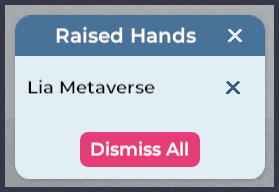
To view a list of attendees who have their hands raised, click the Raised hands button.
To dismiss an individual attendee's raised hand, click the X button beside their name. To dismiss all raised hands in a Region, click the Dismiss All button.